ProcreateBrushworks
The Complete Tattoo Design Kit
The Complete Tattoo Design Kit
Couldn't load pickup availability
Procreate Tattoo Course + Mega Master Pack
The complete kit for the tattoo artist you’re becoming.
You have ideas you want to draw. Tattoo styles you want to explore. Designs you’d love to make your own.
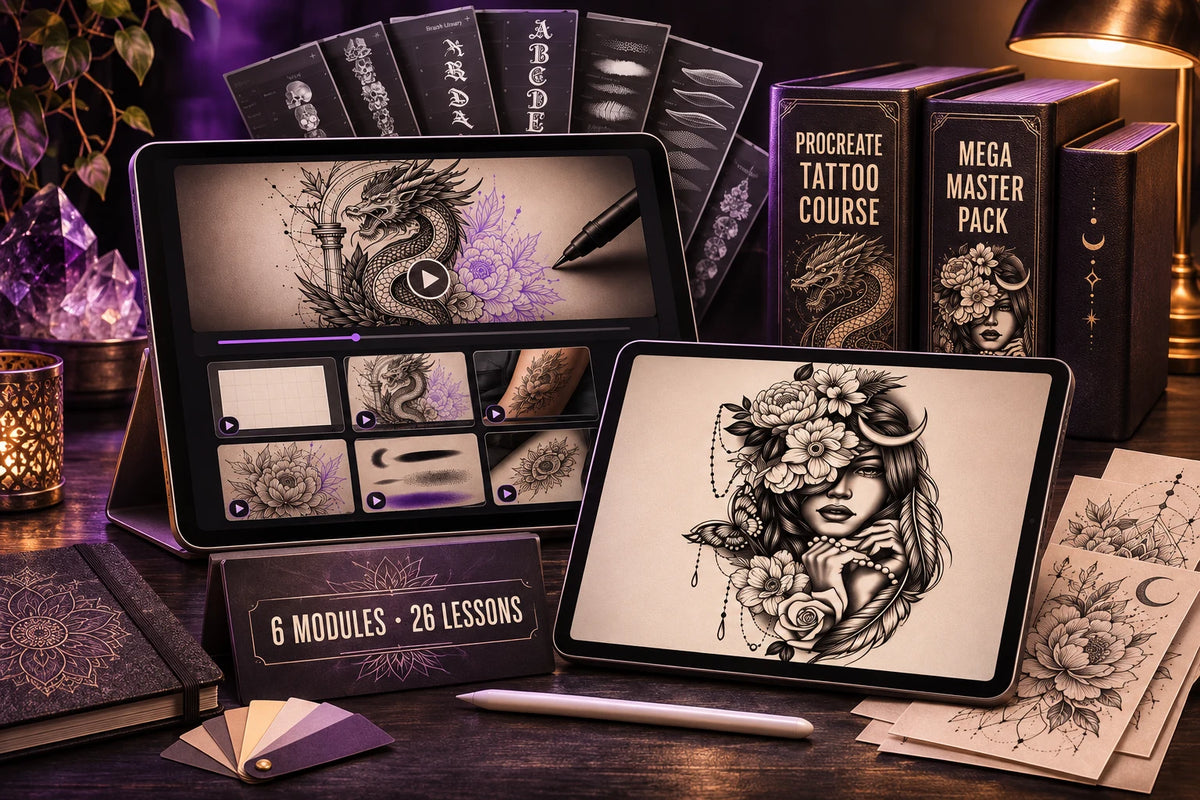
This kit gives you the lessons to get started and the creative tools to put them into practice. Learn the Procreate tattoo design workflow with 26 practical video lessons, then explore the Mega Master Pack, a library of brushes, stencils, flash designs and supporting resources.
Whether you’re opening Procreate for the first time or building on what you already know, you can follow the lessons at your own pace and return whenever you want to practice.
🎓 Procreate Tattoo Course: learn how to bring your ideas to life
Work through 6 modules and 26 practical lessons, covering:
✅ Canvas setup and organization
Set up your workspace, organize layers and prepare a canvas you can use again.
✅ Stencil customization and composition
Resize designs, modify flash and combine separate elements into a composition of your own. Learn techniques for extracting a linework base from a stamp.
✅ Body mockups and presentation
Explore placement with body models and photographs, so you can see how a design looks on the body and present your ideas more clearly.
✅ Tattoo styles and techniques
Practice approaches to fine line, blackwork, traditional, realism and lettering.
✅ Practical shortcuts
Learn ways to simplify repeated digital preparation and spend more time developing your designs.
✅ Brush settings and export
Explore brush settings, create custom brushes and prepare your files for thermal printing.
You get lifetime course access, so you can pause a lesson, try the technique and come back to it as your skills grow.
🌍 Full course audio in four languages
Choose the language you feel most comfortable learning in:
🇬🇧 English
🇩🇪 German
🇫🇷 French
🇪🇸 Spanish
All four language editions are included, with translated lesson audio.
🖤 Mega Master Pack: your creative library, ready to explore
Put what you learn into practice with a wide collection of tattoo design resources:
✅ 2,600+ stencils and stamps
Explore subjects and compositions you can resize, combine and personalize.
✅ 650+ brushes and shaders
Experiment with linework, shading, texture and finishing details.
✅ 500+ flash tattoos
Find inspiration for your next project and develop designs in your own direction.
✅ 400+ animal designs
Explore detailed animal subjects and motifs for your compositions.
✅ 24 body models in 3D and 2D
Try different placements and build presentations of your ideas.
✅ 35 skin and paper textures
Add context and character to your digital mockups.
✅ 50 color palettes
Try curated color combinations as you explore your designs.
✅ Fonts and numbers
Add lettering and personalize your compositions.
Also included:
• 2025 and 2026 Mega Updates
• Printable stencil PDFs
• Installation guide and video tutorials
• Editable social media templates
🎁 Four course bonuses to help you keep practicing
Custom Brush Kit
Keep the four tattoo brushes developed in the course and use them in your own projects.
Layered Project Files
Open the working files and explore how the designs are built.
Reusable Procreate Canvas
Start your next project with an organized canvas template.
Pre-print Checklist
Review your file preparation before the final export.
📲 Access your resources through the Customer Portal
After purchase, sign in to the Customer Portal using your order number and checkout email to find your Mega Master Pack files, installation instructions and video tutorials.
Download the resources for your app, follow the import steps and choose your first design to work on.
Made for your next step
If you’re starting out, you’ll have a practical place to begin: follow a lesson, open the working files and try the technique yourself.
If you already use Procreate, you can revisit parts of your workflow, explore more styles and expand the resources you create with.
The course teaches digital tattoo design in Procreate. You’ll need a compatible iPad and the Procreate app, purchased separately. The Mega Master Pack also includes .abr brush files for drawing apps that support that format.
This is a digital product. Devices and physical props shown in the images are not included. Practical tattooing on skin and hygiene training are outside the scope of the course.
Start creating the designs you’ve been imagining.
Get the Procreate Tattoo Course + Mega Master Pack and give yourself the guidance, working files and creative tools to start practicing today.
Share